TL;DR, Quick Answer
5 min readInstall OpenClaw locally with Docker in 5 minutes or skip installation entirely with clawoneclick.com (1-click, under 60 seconds). System requirements: 2 GB RAM, Docker 24+, Node 20+. This guide covers local install, VPS install, and managed deploy.
You can set up OpenClaw three ways: locally with Docker, on your own VPS, or with an OpenClaw one click install that skips configuration entirely. OpenClaw is an open-source AI assistant that connects large language models to messaging channels like Telegram, WhatsApp, and Discord, and this guide walks through every path in 2026.
This complete OpenClaw installation guide walks you through three methods: local Docker install, VPS install, and managed 1-click deploy via clawoneclick.com.
Key takeaway: Local Docker install takes 5 minutes. Managed deploy via clawoneclick.com takes under 60 seconds with zero configuration.
Jump: Requirements | Local Install | VPS Install | 1-Click Deploy | FAQ.
- Install Docker and clone the repo
- Configure .env with API keys and tokens
- Run docker compose up -d
- Manage updates and uptime yourself
- No Docker, no SSH, no API keys
- Deploy in under 60 seconds
- Workspace and skills configure automatically
- 24/7 uptime with a 99.9% SLA
System Requirements
Before installing OpenClaw, check that your system meets these minimum requirements.
| Requirement | Minimum | Recommended |
|---|---|---|
| RAM | 2 GB | 4 GB+ |
| Storage | 5 GB free | 10 GB+ |
| OS | Linux, macOS, Windows (WSL2) | Ubuntu 22.04+ |
| Docker | 24.0+ | Latest |
| Node.js | 20+ | 22 LTS |
| CPU | 2 cores | 4 cores |
Note: If you use clawoneclick.com, no local system requirements apply - everything runs on managed infrastructure.
Install OpenClaw Locally with Docker
The recommended way to install OpenClaw on your own machine is with Docker Compose. This method works on Linux, macOS, and Windows (WSL2).
Step 1: Install Docker
Make sure Docker and Docker Compose are installed on your system.
# Ubuntu/Debian
sudo apt update && sudo apt install docker.io docker-compose-v2 -y
sudo systemctl enable docker && sudo systemctl start docker
# macOS (with Homebrew)
brew install --cask docker
# Then launch Docker Desktop
Step 2: Clone the OpenClaw Repository
git clone https://github.com/open-claw/openclaw.git
cd openclaw
Step 3: Configure Environment Variables
Copy the example environment file and edit it with your settings.
cp .env.example .env
Key variables to set:
| Variable | Description | Default |
|---|---|---|
AI_MODEL | LLM provider (grok, claude, openai, local) | grok |
TELEGRAM_BOT_TOKEN | Your Telegram bot token | (empty) |
WHATSAPP_ENABLED | Enable WhatsApp channel | false |
DISCORD_TOKEN | Your Discord bot token | (empty) |
PORT | Gateway port | 3000 |
Step 4: Start OpenClaw
docker compose up -d
OpenClaw starts in the background. Check logs with:
docker compose logs -f
Step 5: Verify the Installation
Open your browser and navigate to http://localhost:3000. You should see the OpenClaw dashboard. Connect a messaging channel and send "Hi Claw" to test.
Total time: Approximately 5 minutes for a fresh Docker install.
Install OpenClaw on a VPS
For 24/7 uptime without running a local machine, install OpenClaw on a VPS. Budget VPS providers like Hostinger ($3/mo) and Contabo ($5/mo) work well.

ClawOneClick
Get Started FREE
Any AI model
4+ channels
Custom skills
Step 1: Provision a VPS
Choose a VPS with at least 2 GB RAM. Ubuntu 22.04+ is recommended.
Step 2: SSH Into Your Server
ssh root@your-server-ip
Step 3: Install Docker on the VPS
curl -fsSL https://get.docker.com | sh
sudo usermod -aG docker $USER
Step 4: Clone and Configure
git clone https://github.com/open-claw/openclaw.git
cd openclaw
cp .env.example .env
nano .env  # Set your API keys and channel tokens
Step 5: Deploy with Docker Compose
docker compose up -d
Step 6: Set Up a Reverse Proxy (Optional)
For HTTPS and a custom domain, configure Nginx or Caddy as a reverse proxy.
sudo apt install caddy -y
Your OpenClaw instance is now running 24/7 on your VPS.
Total time: 15-30 minutes depending on VPS provider setup.
Skip Installation: 1-Click Deploy with ClawOneClick
The fastest way to get OpenClaw running is to skip local installation entirely. clawoneclick.com provides managed OpenClaw hosting with 1-click deploy.
- Visit clawoneclick.com (10s): Click "Deploy Now".
- Connect a channel (20s): Scan QR for Telegram or click the WhatsApp link.
- Auto-configuration (20s): Workspace, gateway, and skills load automatically.
- Start chatting (10s): Send "Hi Claw" and your assistant is live.
No Docker. No SSH. No API keys. Everything is managed for you.
| Comparison | Local Install | VPS Install | ClawOneClick |
|---|---|---|---|
| Setup Time | 5 min | 15-30 min | <1 min |
| Maintenance | Manual | Manual | Automatic |
| Cost | $0 (your hardware) | $3-15/mo | $39/mo |
| Uptime | When PC is on | 24/7 | 24/7 (99.9% SLA) |
| Best For | Developers | DevOps | Everyone |
Post-Installation: First Steps
After installing OpenClaw, follow these steps to get the most out of your assistant.
Connect Messaging Channels
- Telegram: Create a bot via BotFather, add the token to your config
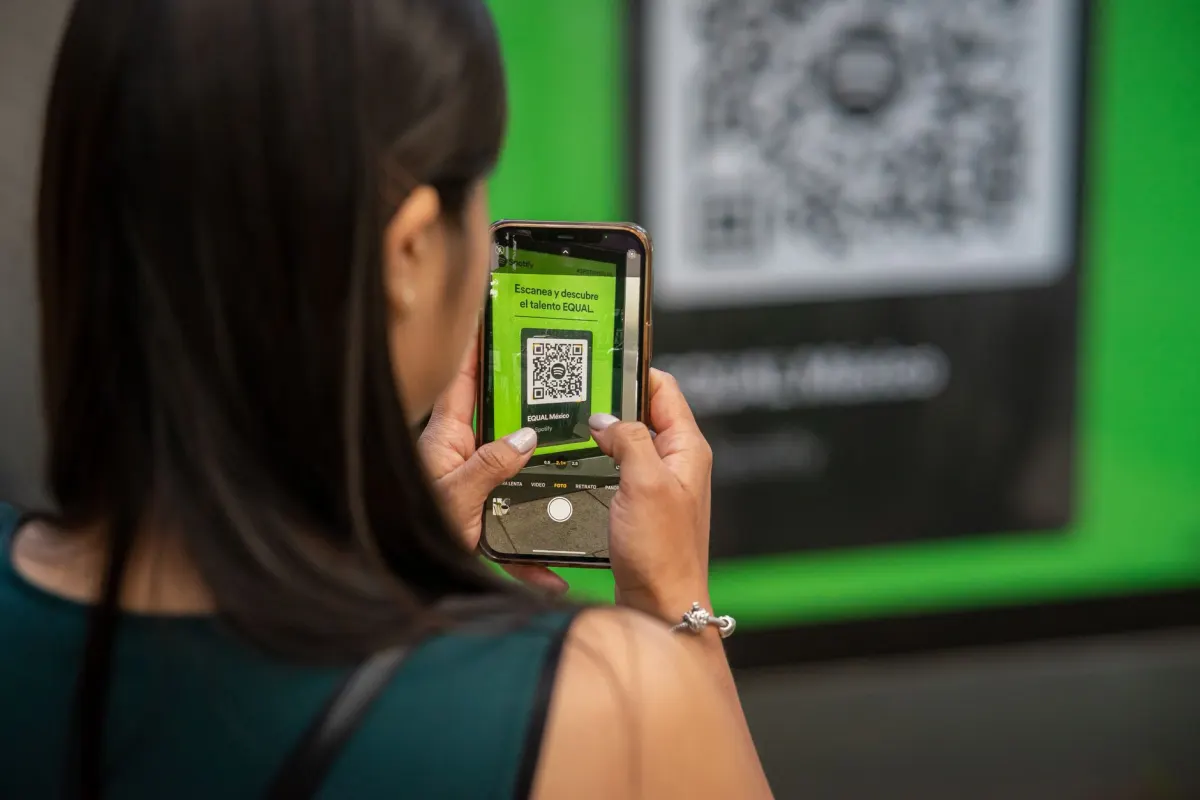
- WhatsApp: Scan the QR code in the OpenClaw dashboard
- Discord: Create a bot in the Discord Developer Portal, add the token
Install Skills
OpenClaw comes with 50+ bundled skills, plus access to the full ClawHub skills list 2026 with 3,286+ community skills. Install the ClawHub top skills from the dashboard or config file:
- Weather and calendar
- SEO analysis and content generation
- Code review and debugging
- File management and browser automation
Browse the clawhub.ai popular skills or check the OpenClaw popular skills 2026 rankings to find the ClawHub best skills for your workflow.
Choose Your AI Model
OpenClaw is model-agnostic. Switch between providers in your config:
- Grok (default) - Fast and capable
- Claude - Strong reasoning and analysis
- OpenAI - GPT models
- Local models - Llama, Mistral via Ollama
Troubleshooting Common Install Issues
Docker permission denied
sudo usermod -aG docker $USER
# Log out and back in, then retry
Port already in use
# Change the PORT variable in .env
PORT=3001
docker compose up -d
Container fails to start
docker compose logs
# Check for missing environment variables or insufficient RAM
Cannot connect messaging channels
Verify your bot tokens are correct and that your firewall allows outbound HTTPS traffic on port 443.
Frequently Asked Questions
How to install OpenClaw on Ubuntu?
Install Docker (sudo apt install docker.io docker-compose-v2), clone the OpenClaw repo, copy .env.example to .env, configure your settings, and run docker compose up -d. The full process takes about 5 minutes.
What are the minimum requirements for OpenClaw?
OpenClaw requires 2 GB RAM minimum (4 GB recommended), Docker 24+, and Node.js 20+. It runs on Linux, macOS, and Windows (WSL2). For managed hosting, no local requirements apply.
Can I install OpenClaw without Docker?
Yes, OpenClaw can run directly with Node.js, but Docker is the recommended and supported installation method. Docker handles all dependencies and makes updates simpler.
ClawOneClick
Get Started FREE
Any AI model
4+ channels
Custom skills
How to update OpenClaw after installation?
Pull the latest changes and restart: git pull && docker compose down && docker compose up -d. On ClawOneClick, updates are applied automatically.
Is there a way to install OpenClaw without technical knowledge?
Yes. clawoneclick.com provides 1-click managed deployment with no technical setup required. No Docker, SSH, or API configuration needed.
How long does it take to install OpenClaw?
Local Docker install takes about 5 minutes. VPS install takes 15 to 30 minutes depending on the provider. ClawOneClick's managed deploy finishes in under 60 seconds since it skips configuration entirely.
What messaging platforms does OpenClaw support?
OpenClaw connects to Telegram, WhatsApp, and Discord. Add a Telegram bot token from BotFather, scan a QR code for WhatsApp, or create a bot in the Discord Developer Portal and add its token. ClawOneClick handles the same channels through a QR scan or a link, with no manual token setup.
How much does it cost to run OpenClaw?
Local install costs $0 beyond your own hardware. A VPS runs $3 to $15 a month, with providers like Hostinger at $3/mo and Contabo at $5/mo. ClawOneClick's managed hosting costs $39/mo and includes 24/7 uptime with a 99.9% SLA.
Which AI models can OpenClaw use?
OpenClaw is model-agnostic and defaults to Grok. You can switch to Claude, OpenAI's GPT models, or local models like Llama and Mistral through Ollama, all from your config.
What is ClawHub?
ClawHub is OpenClaw's skills marketplace. It has more than 3,286 community skills on top of the 50+ that come bundled with OpenClaw, covering things like weather, calendar, SEO analysis, and code review. Install skills from the dashboard or straight from your config file.
Conclusion
Installing OpenClaw gives you a private, model-agnostic AI assistant connected to your favorite messaging channels. Choose local Docker install for full control (5 minutes), VPS install for 24/7 uptime (15-30 minutes), or skip installation entirely with clawoneclick.com (under 60 seconds). After installation, explore the ClawHub popular skills and the OpenClaw ClawHub best skills 2026 to extend your agent's capabilities.
Deploy your assistant now: join 10K+ users.
Sources: GitHub OpenClaw, Docker documentation, Hostinger, ClawOneClick (2026).
Was This Article Helpful?
Let us know what you think!
Before you go...
ClawOneClick
Deploy your AI assistant in minutes
Choose your model, connect your channel, and go live with ClawOneClick.
Any AI model
4+ channels
Custom skills
Related Articles
Get a Live Assistant With OpenClaw One Click Deploy
An OpenClaw one click deploy through ClawOneClick puts a live AI assistant on Telegram, WhatsApp or Discord in under a minute, no servers, no API keys.
How to Post to 9 Social Media Platforms Directly From Your Messenger With AdaptlyPost Skill
The AdaptlyPost social media skill lets OpenClaw post to Instagram, LinkedIn, X, TikTok and five more from WhatsApp, Telegram, Discord or Slack in one message.
Build an OpenClaw SEO Agent in Five Minutes
Wire up an OpenClaw SEO agent with Brave Search and the SEO Content Writer pack, then run three prompts that research a keyword, draft it and push to Notion.